RevuKit

Best Review Widget Guide

Add Google Reviews to Your Website (Free Widget Guide)

Compare free widget options, choose the right setup path, and publish Google reviews on your website without hurting design, speed, or SEO.

Dr. Prabhakar Tiwari
1 month ago

"Excellent London Eye experience. The capsule moved slowly and the full city view was amazing."

kanika choudhary
kanika choudhary
2 months ago

"Calm, memorable ride with breathtaking views over central London and the Thames."

Kaveen Minura
Kaveen Minura
2 months ago

"Great skyline perspective and a fun ride, especially at night when the Eye is lit up."

Doreen Fidow
Doreen Fidow
1 month ago

"A special family highlight. Spacious pod, quick-moving line, and views that were totally worth it."

Heather K. Woodward
Heather K. Woodward
1 month ago

"Classic London experience done right. Great views, short wait, and very well run."

Raquel Moiane
Raquel Moiane
2 months ago

"Definitely worth doing once. Slow ride, great photos, and a very pleasant experience."

Doreen Fidow
Doreen Fidow
1 month ago

"A special family highlight. Spacious pod, quick-moving line, and views that were totally worth it."

Heather K. Woodward
Heather K. Woodward
1 month ago

"Classic London experience done right. Great views, short wait, and very well run."

Raquel Moiane
Raquel Moiane
2 months ago

"Definitely worth doing once. Slow ride, great photos, and a very pleasant experience."

Jay Chiplunkar
Jay Chiplunkar
1 month ago

"Iconic attraction with stunning skyline views. Smooth ride, clean capsules, and great sunset photos."

Jessica
Jessica
1 month ago

"Smooth and relaxing with panoramic city views. Sunset is the best time to go."

Jay Chiplunkar
Jay Chiplunkar
1 month ago

"Iconic attraction with stunning skyline views. Smooth ride, clean capsules, and great sunset photos."

Jessica
Jessica
1 month ago

"Smooth and relaxing with panoramic city views. Sunset is the best time to go."

Dr. Prabhakar Tiwari
1 month ago

"Excellent London Eye experience. The capsule moved slowly and the full city view was amazing."

kanika choudhary
kanika choudhary
2 months ago

"Calm, memorable ride with breathtaking views over central London and the Thames."

Kaveen Minura
Kaveen Minura
2 months ago

"Great skyline perspective and a fun ride, especially at night when the Eye is lit up."

RevuKitRevuKit
Best Review Widget Guide2026 Update
Carousel-style google review widget with featured testimonial and navigation controls
A strong candidate for the best google review widget should look native to your site and support real buyer decisions.

If you are searching for the best free google review widget or simply the best review widget, the key is fit, not hype. The right choice depends on your design standards, update expectations, and how much engineering overhead you want to own.

Quick Answer

For most teams, the best review widget is one that combines modern design, easy embed flow, and reliable freshness. RevuKit is best for teams that care about presentation quality and want to publish quickly. Start with the free preview tool, then continue to guided onboarding.

Disclosure

RevuKit is our product. This guide is intentionally transparent about tradeoffs and fit so you can choose the best google review widget for your use case, even if that is not RevuKit.

What Makes the Best Review Widget?

  • Design quality: it should blend into your brand, not look bolted on.
  • Freshness policy: know how often review data updates and what changes by plan.
  • Performance behavior: async loading and stable layout should be non-negotiable.
  • Platform compatibility: it should work where you actually build.
  • Plan clarity: free vs paid limits should be obvious before you commit.
  • Maintenance overhead: no one wants a fragile review stack to babysit.

Which Type Fits Your Team?

  • Google official options: easiest baseline, limited design control.
  • Custom API integration: maximum control, high engineering overhead.
  • Widget platform: best balance for most teams, especially when speed + design both matter.

How to Add Google Reviews to Your Website

The best way to add Google reviews to a website is to use a live widget connected to your Google Business Profile. That gives you real review content, cleaner presentation, and a setup path that works across most website builders without rebuilding the page from scratch.

Avoid screenshotting reviews or copying them into static cards unless you have a very specific reason. Static reviews go stale, are harder to maintain, and do not give visitors the same sense that the proof is current.

  1. Connect the right Google Business Profile. Use the listing customers actually review, not an old duplicate listing or location page.
  2. Choose the display method. A widget is best for most teams; a custom API build only makes sense when you need full engineering control.
  3. Pick a layout for the page context. Use a compact rating near the hero, a carousel near a CTA, or a larger grid/mosaic for a dedicated proof section.
  4. Paste the embed code into your website. Most platforms support this through an HTML embed, custom code block, app block, plugin area, or page-level code field.
  5. Test mobile, speed, and placement. The widget should load asynchronously, keep layout stable, and sit near a decision point rather than buried in the footer.

Best setup path by website type

  • WordPress: use a custom HTML block, plugin embed area, or theme section. Read the WordPress guide.
  • Wix: use Embed HTML for page-level placement or Custom Code for site-wide placement. Read the Wix guide.
  • Squarespace: use Code Blocks for page sections or Code Injection on plans that support it. Read the Squarespace guide.
  • Webflow, Shopify, Framer, or custom HTML: paste the widget script into the target page or reusable section, then preview it across breakpoints. Read the HTML embed guide.

For SEO, treat embedded reviews as trust content first. They can improve engagement and conversion quality, but review-star schema has strict eligibility rules. Do not add review markup that misrepresents reviews or expects self-serving LocalBusiness stars to appear in search results.

Free Plan Coverage

RevuKit's free plan now supports all widget types, including compact and interactive layouts.

Free includes 250 views/month, RevuKit watermark branding, and a slower review refresh cadence. Paid plans increase limits and refresh frequency.

What RevuKit Is Best For

  • Design-first brands: teams that want social proof to look premium, not generic.
  • Teams needing multiple layout styles: compact badges, carousel, mosaic, and AI-summary patterns.
  • Businesses that care about review freshness: paid plans are built around daily refresh windows.
  • Agencies and multi-site operators: one workflow across many client websites.

Who Should Not Use RevuKit

  • Teams that only need a very basic, always-free badge and do not care about advanced layouts.
  • Teams that need a unified widget for many review networks beyond Google in one component.
  • Teams that require fully self-hosted, open-source-only infrastructure control.
  • Teams expecting high-frequency refresh behavior on free plans.

Real Widget Examples

Different page contexts need different widget shapes. Use compact styles for tight spaces and richer layouts for dedicated trust sections.


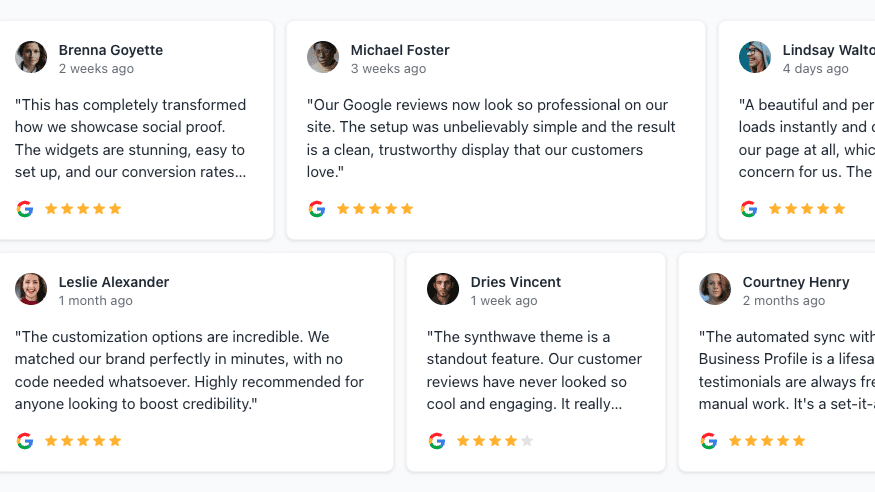
Compact inline google review widget badge with stars, rating, and review count
Compact Badge (Inline): ideal for headers, nav rows, and constrained sections.
Compact stacked google review widget badge with logo, stars, and review count
Compact Badge (Stacked): useful for short trust strips and side panels.
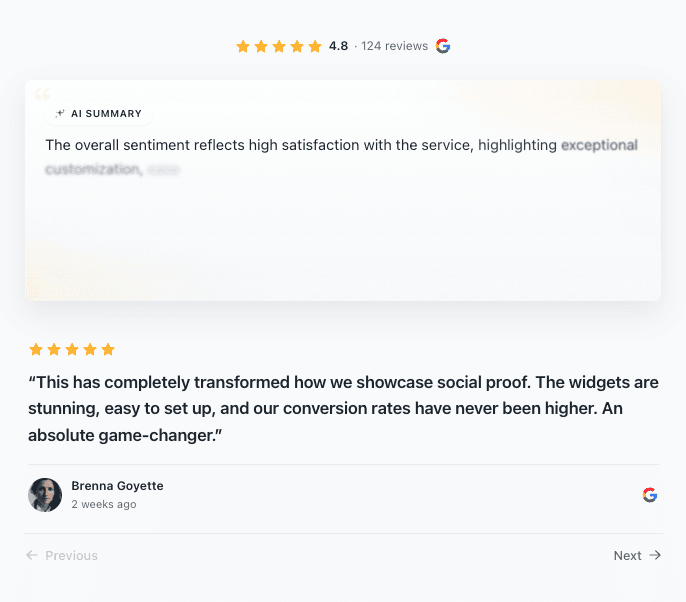
AI summary review widget with sentiment summary and individual review area
AI Summary Widget: gives visitors an at-a-glance summary before detailed cards.
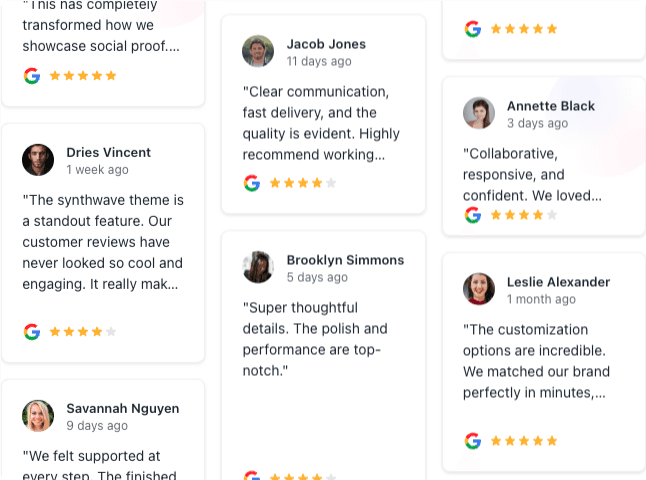
Mosaic review widget showing many testimonials in varied card sizes
Mosaic Wall: best for full social-proof sections where you want many voices visible at once.

How to Launch It

  1. Pick your widget type based on page context and brand style.
  2. Connect your Google Business listing so real reviews populate.
  3. Adjust styling to match typography, spacing, and color tokens.
  4. Embed and preview on target pages before publishing.
  5. Validate placement + mobile near important CTAs.
  6. Track outcomes such as CTA clicks and form starts.

Need platform-specific tutorials? Use guides for Webflow, Shopify, Wix, and Squarespace.
Best Placement

  • Homepage: under your hero and before first CTA.
  • Service pages: close to outcomes, offers, and form blocks.
  • Pricing and checkout: use compact trust blocks to reduce hesitation.
  • Mobile: keep cards scannable and avoid long unbroken stacks.
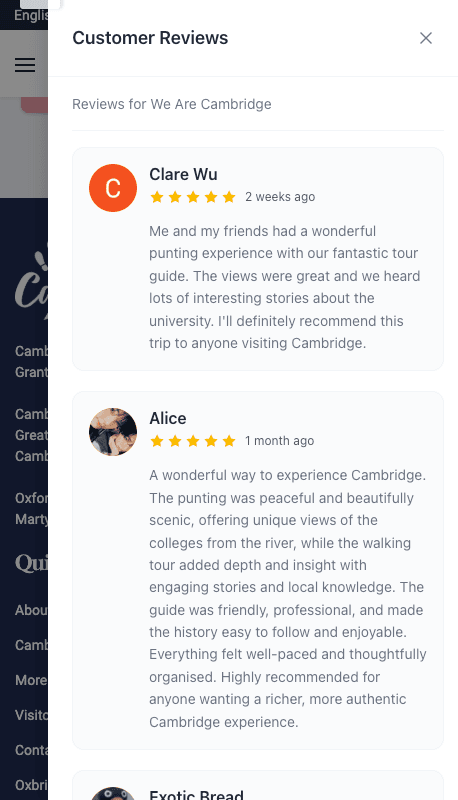
Mobile layout of a google review widget section

Mobile readability is a core requirement for any best review widget candidate.

SEO Impact

The best google review widget helps SEO mostly through behavior: stronger trust, better engagement, and lower abandonment on decision pages.

  • Improves perceived credibility and page usefulness.
  • Supports conversion flow quality on high-intent pages.
  • Works best alongside strong internal linking and clear keyword intent.

For freshness strategy, read why daily sync policy matters. For advanced presentation, see the AI Summary Carousel guide, and the RevuKit vs Elfsight comparison.

Frequently Asked Questions

What is the best Google review widget in 2026?

The best option is the one that matches your design quality bar, setup resources, and freshness expectations. For most businesses, a modern widget platform with clear plan limits is the practical choice.

What is the best review widget if I care about design?

Look for multiple layout families (compact, carousel, grid/mosaic, summary-led) plus strong visual controls. That flexibility is what keeps trust blocks from looking generic.

Can I start free and upgrade later?

Yes. Free is useful for testing fit. Most teams upgrade when they need broader widget access, cleaner branding, higher view ceilings, and better freshness windows.

Which free widgets are available on RevuKit?

RevuKit free supports all widget types. The free plan currently includes 250 monthly views, RevuKit watermark branding, and a slower review refresh cadence.

How do I add Google reviews to my website?

Connect your Google Business Profile, choose a review widget layout, copy the embed code, paste it into your website or CMS, then test the page on desktop and mobile before publishing.

Can I add Google reviews to my website for free?

Yes. A free widget is the fastest route for most sites. Free plans are best for testing fit; paid plans usually remove branding, increase view limits, and refresh reviews more often.

Will this work on Webflow, Shopify, Wix, Squarespace, Framer, or WordPress?

Yes, these are common target platforms. If your stack supports embed scripts or HTML/JavaScript, implementation is usually straightforward. For non-CMS sites, use the custom HTML embed guide.

Does this directly improve rankings?

Usually indirectly. Trust and engagement improvements can support stronger page performance, especially on service and conversion pages.

Related Articles

Keep reading

View all articles